The Backstory
Kartoffel’s Legacy — June 2025, Kartoffel was diagnosed with cancer. I needed to tube-feed him every 3~8 hours, and his medication schedule was complicated.
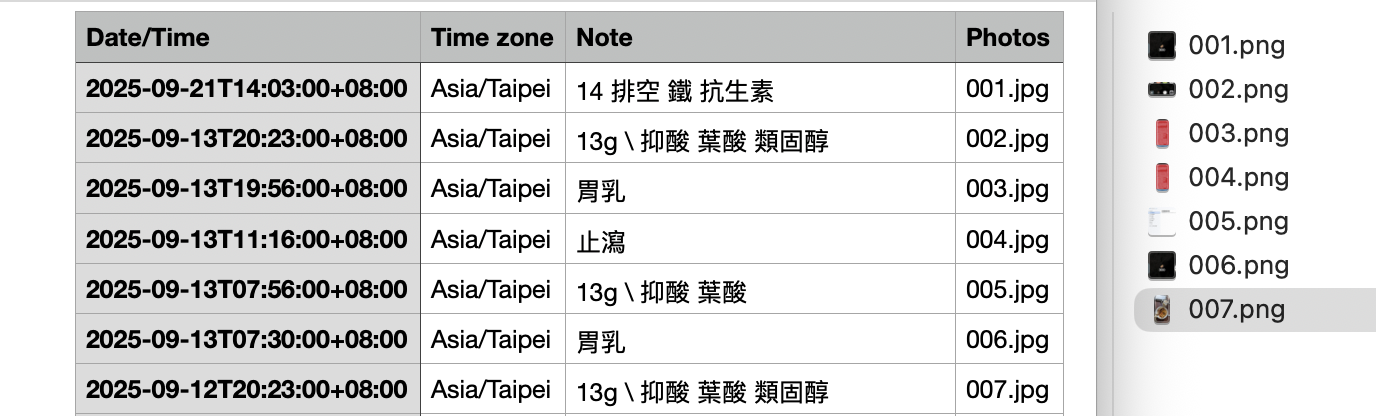
At that time I used an app called TimeJot (shout out to Kizito Nwose who made it) , it can logs time, attaches photos, and calculates durations. To cope with the caregiving while juggling with my life and work, I’d worked out my own system: snap a photo of each session, then log it later(Normally is before the bed time.) Then I found out my wish feature as a caregiver who use snap photo to log time.
I wish this Tool exit, so I built it, hope it can make the person who experience the same thing’s life easier.
Research
User Journey — A Day of Care
Kartoffel’s protocol needed precise timing for the medication to work. A typical day:
- 07:30acid inhibitors (gastric protectants), 30-minute wait before food
- 08:00gastric emptying, then antibiotics with a 13g meal
- 11:00–12:00iron supplements
- 14:00digestive enzymes and antibiotics with 13g meal
- 19:30acid inhibitors (gastric protectants), 30-minute wait before food
- 20:00acid suppressant, folic acid, and steroids (every two days), with a 13g meal
- 02:00digestive aids, a midnight meal, and antibiotics
- WeekendsOncovin / Vinblastine chemotherapy
I’m very blessed to work fully remotely with a global team, so I could stay home and feed Kartoffel at the exact times he needed. Even so, my schedule was extremely tight and my working hours were long, so I often had to squeeze a feeding into a tiny gap between things like audit feedback sessions and meetings.
The Problem
To survive it, I developed a system for myself:
- Set Alarms. Lay out all the meds and food for the session.
- Snap one photo as a timestamped “receipt.”
- Feed him and clean up.
- Return to what I was doing immediately, and log it later.
Before KaLog, I had to log every feeding by hand, before or after, in between alarms and meetings. The schedule kept shifting with Kartoffel’s health, and I’d lose track: had I given that dose? Had enough time passed? Every manual log took energy I didn’t have.
So I took a photo and logged later(normally before bedtime, when I had some quiet time). And here’s what that flow looked like: open the album, find the picture, check the time, go back to the app, fill in the timeline. When the photos looked alike, I couldn’t tell which was which and had to go back to the album and check, then repeat until the full day’s events were logged. It was a lot of work.
Solution & Key Features
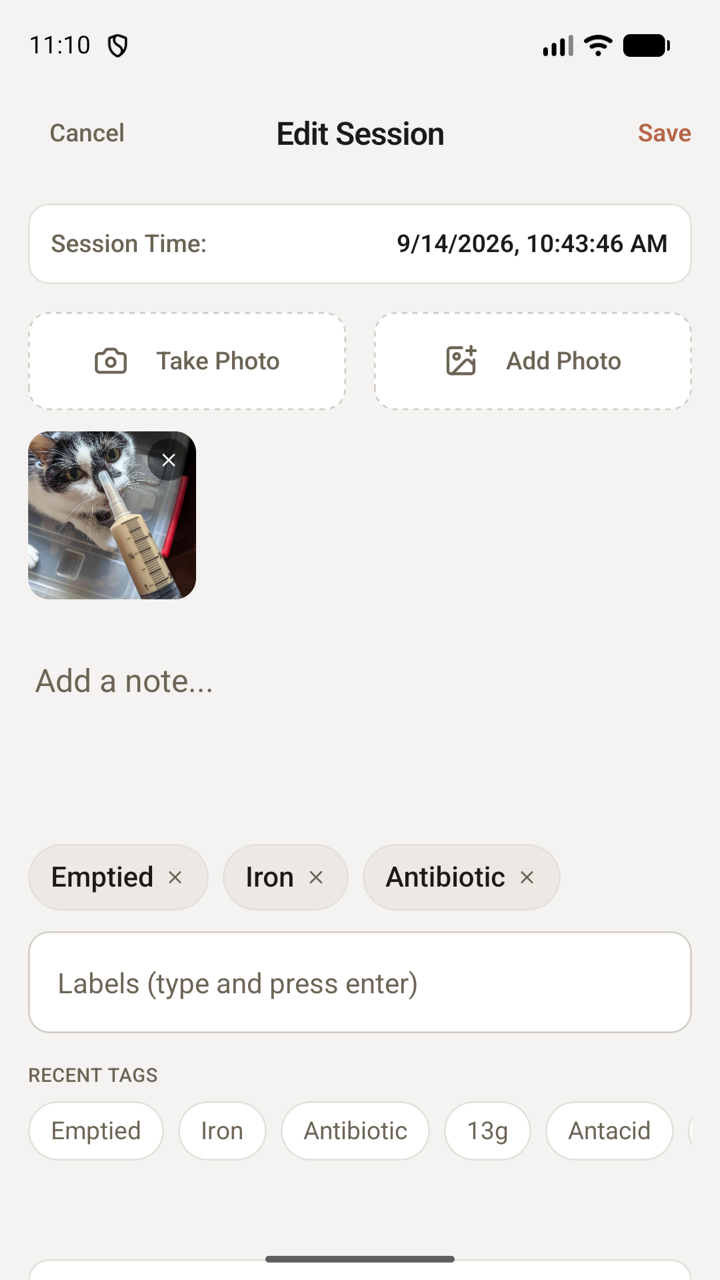
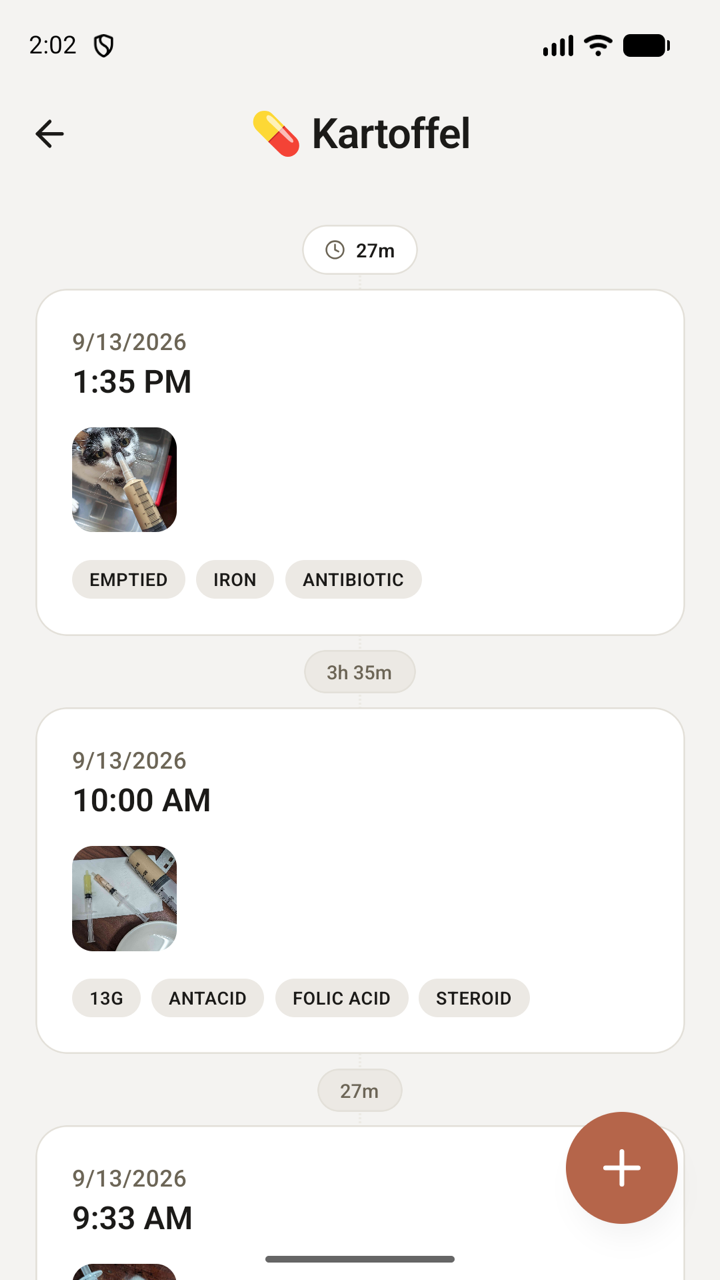
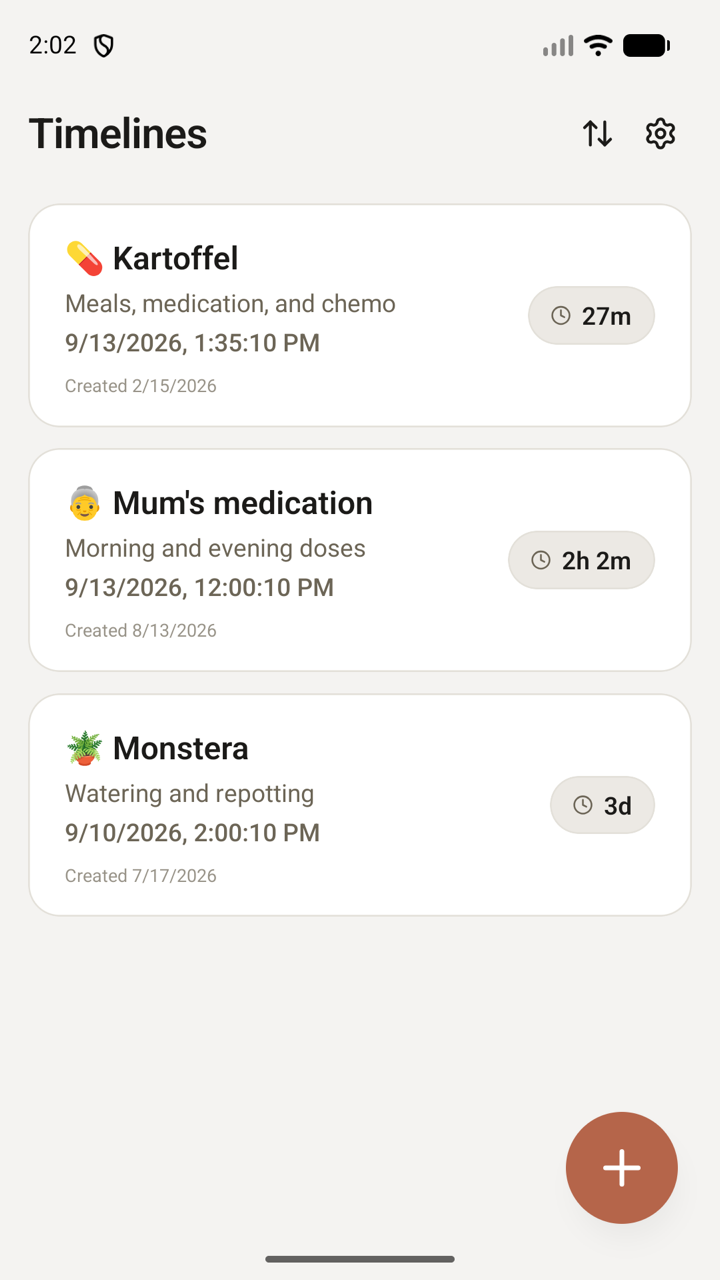
One principle: the photo is the log. I realized I could just use the photo’s timestamp as the event log.
Design Process
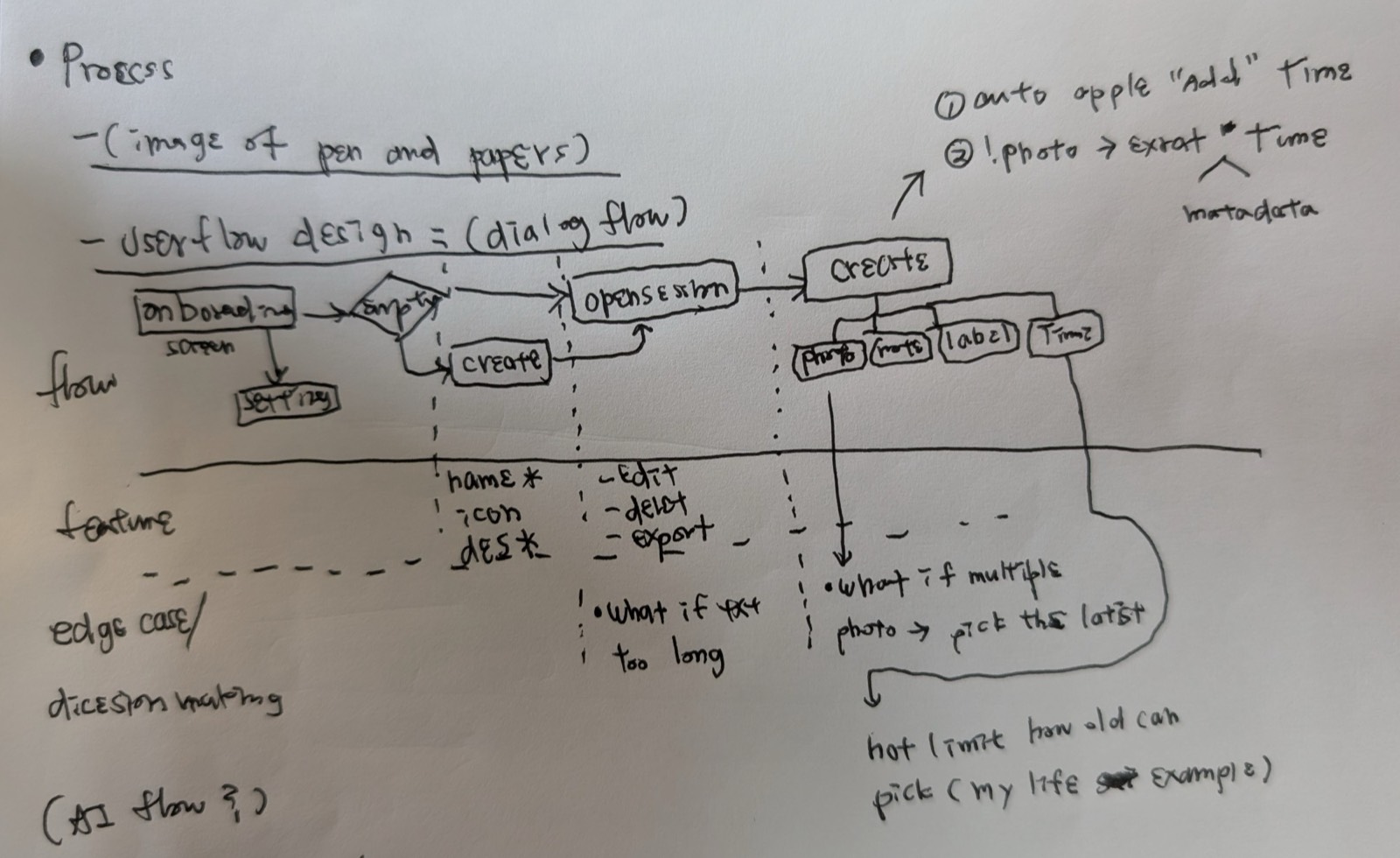
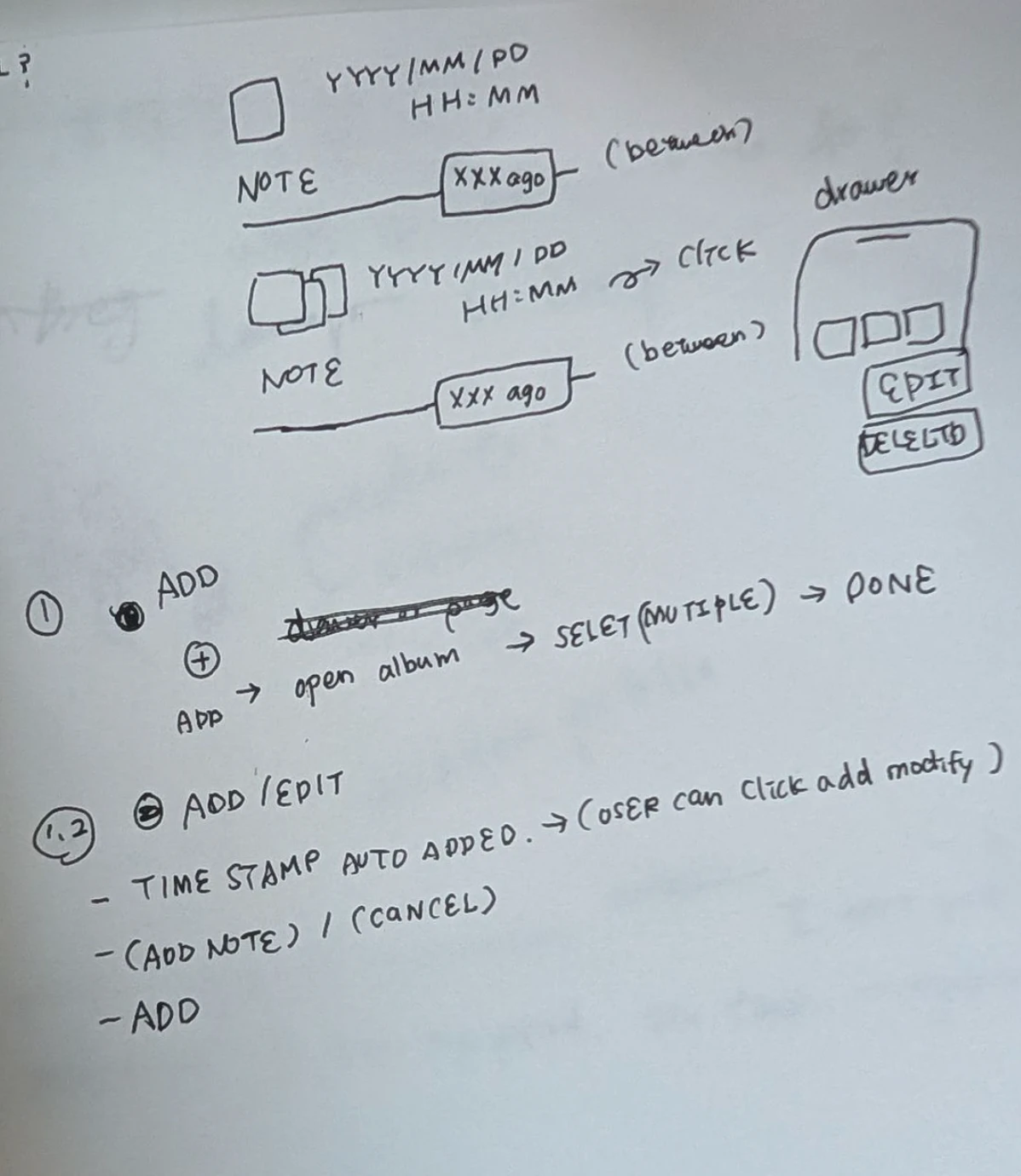
I planned it on pen and paper first, then move on to writing PRDs.
My energy went into making a genuinely useful tool. The truth is, I was too heartbroken to do any fancy design. The logo started as a doodle that happened to look like a flower; I ran with it and made an animation of flowers drifting down — almost funereal. For a project that was my way of grieving, it felt right.
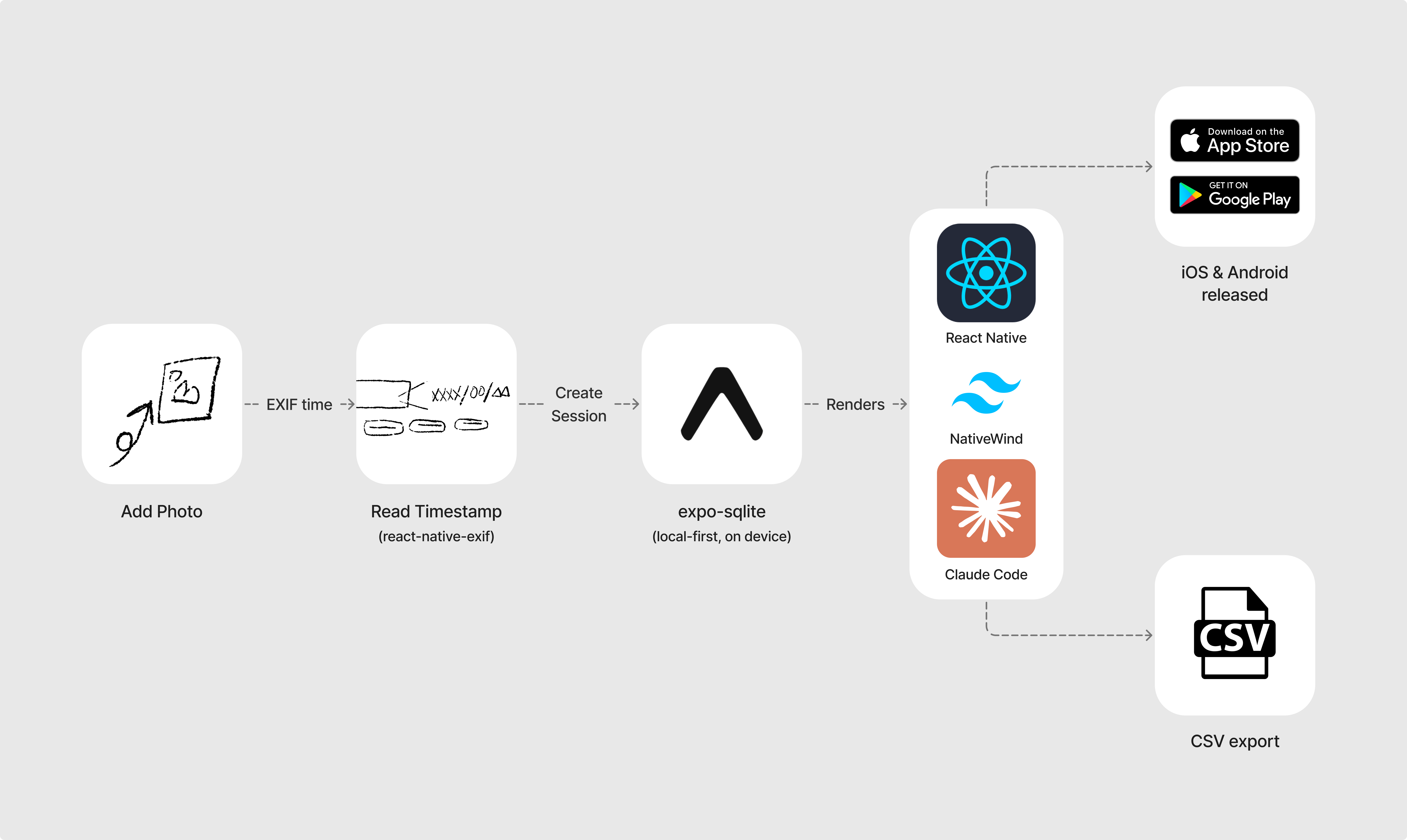
React Native(Expo), Reusables + NativeWind, local-first SQLite via expo-sqlite, timestamps from react-native-exif, and i18n. As a full-stack design engineer, I moved from flow to working build without a handoff in between.
User Testing
KaLog went through closed testing before release: at least 15 testers over two weeks. Edge tests, pushback, and my decisions:
Poco X3 Pro · Android 12
The “Proplayer” timeline shows the date 01/01/1970, 21:56:00. Shouldn't select this far back, maybe it will caused invalid or missing date value being interpreted as the Unix epoch.
Recommendation: Validate timestamp values and restrict the past date options before displaying them.
My Push BackI'd keep it. I don’t plan to restrict the years, because people can log far-back dates on purpose: “since the day I was born”, a life timeline, or an anniversary log for their grandparents.
Long timeline titles/text are poorly handled. Although truncation prevents the card from becoming excessively large, users may not know how to view the complete content.
Recommendation: Provide a clear way to expand or view the full title/content.
Results
Reflection
This was as much a way to grieve as it was a product.
What I learned
It all started with a thought: I’d already snapped the picture, and the picture has a timestamp. Couldn’t I just use that and make my life easier? It was a hack, and I already knew how to build an app, so the work was finding the right packages. Here is what I ran into and learned while building KaLog:
- Photos carry far more metadata than I knew.
- During closed testing, I noticed people using KaLog in scenarios I hadn't pictured. It isn't only for caregivers.
Heaven bless everyone who tested it. - A few rare device models glitch or error when reading the photo's metadata, so they need device-specific workarounds, and some are too odd to work around.
What's next
KaLog will stay free, with no ads, for as long as I can keep it alive. I hope it helps anyone going through what I went through. And for people who aren't caregivers, I hope it still makes life easier, whether they're watering plants, on a diet, or out jogging. It's still an ongoing project, so I'll keep adding thoughtful features along the way without losing its simplicity. Turning my grief into something I can give back to the community is a beautiful way to honor Kartoffel, and our ten-plus years together.